
Browse like GitHub
A lazy-loading, keyboard-navigable file tree for regular folders and git repositories, right on your machine.
GITLOCAL
A local, GitHub-style viewer for the code your AI agent wrote. Browse the repo, read Markdown clearly, review what changed, and hand off to a terminal — without opening a full IDE.
npx gitlocal
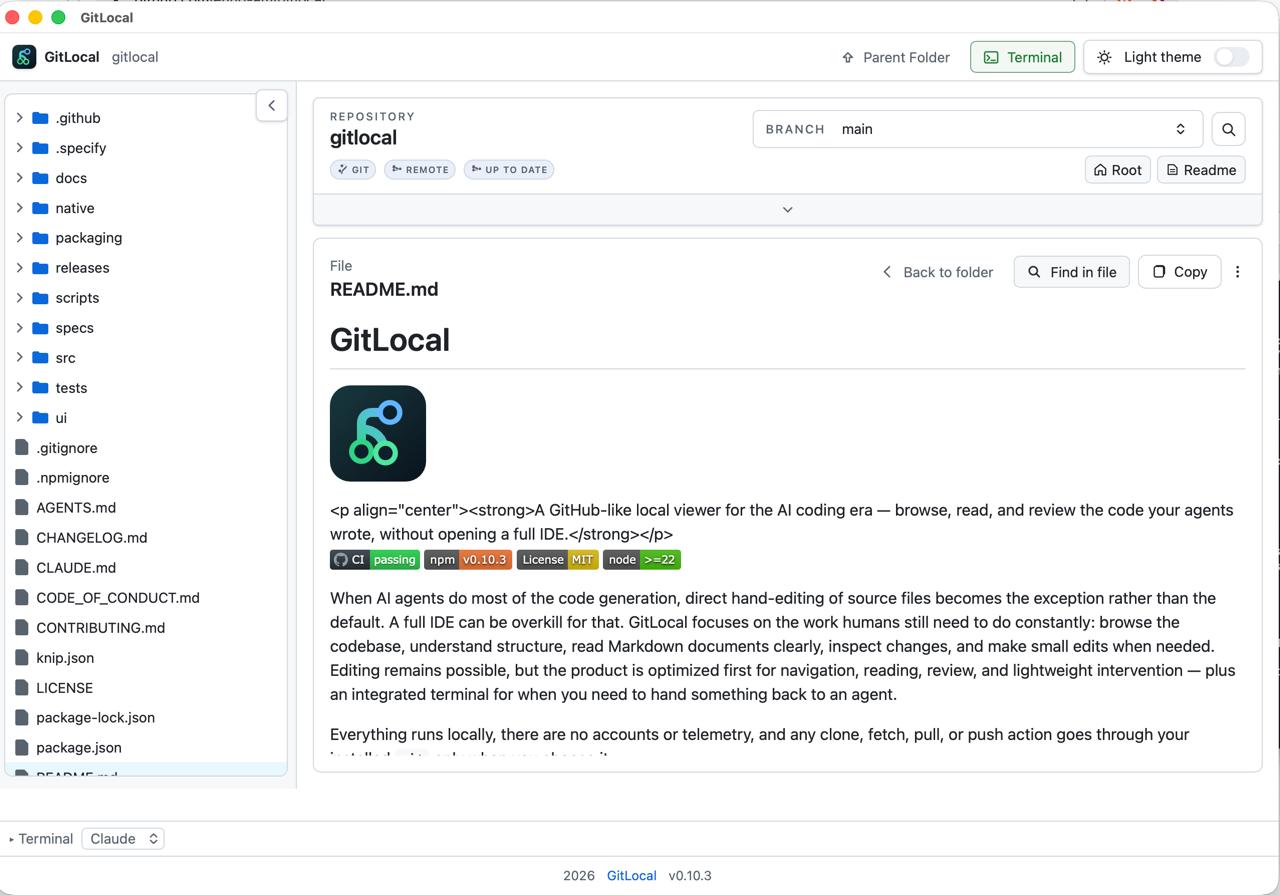

A lazy-loading, keyboard-navigable file tree for regular folders and git repositories, right on your machine.
GitHub-like rendering with relative links, heading anchors, find highlights, and share/copy actions. No IDE required.
A changed-files panel for modified, deleted, untracked, generated, and local-only paths, plus active-file refresh notices.
Repository-wide search with current-folder and Markdown-focused scopes, plus file-level find inside the current file.
A plain-language repository summary — branch, remote, sync, and local changes — backed by technical detail when you need it.
A built-in terminal docked at the bottom of the window, wired for Claude, Codex, or a plain shell, with cross-page session persistence.
Built-in viewers for PDF, SVG, CSV, Excel, and PowerPoint files alongside Markdown and images — growing steadily, and rendered locally where GitHub's web UI often falls back to a raw download link.
Choose the npm package for any OS, or the native macOS app if you'd rather skip the terminal.
npm install -g gitlocal
gitlocal .
Opens in your default browser. Keep the terminal window open while you use it.
brew tap ehud-am/gitlocal
brew install --cask gitlocal
xattr -dr com.apple.quarantine /Applications/GitLocal.app
No terminal needed after install. This beta build is unsigned, so run the command above once — without it, Gatekeeper blocks the app from opening at all.
Full setup and troubleshooting notes are in the README.
GitLocal is a free, local-first tool that opens a GitHub-style viewer for any folder or git repository on your computer. It renders Markdown, browses the file tree, and shows what changed, right in your browser, with no IDE required.
Yes. GitLocal is free and open source under the MIT license. There are no accounts, subscriptions, or telemetry.
No. GitLocal runs entirely on your machine. Clone, fetch, pull, and push actions go through your locally installed git only, and only when you choose to run them.
The npm package runs on macOS, Windows, and Linux with Node.js 22+. A native macOS app is also available in beta via Homebrew.
GitLocal is intentionally narrower than a full IDE. It focuses on reading, browsing, reviewing, and lightweight edits — the tasks people still do by hand when an AI agent generates most of the code — plus an integrated terminal for handing work back to that agent.
Run npm install -g gitlocal, then gitlocal . in any folder, or npx gitlocal to try it without installing. A macOS app is available via brew install --cask gitlocal after brew tap ehud-am/gitlocal.
GitLocal renders Markdown, source code with syntax highlighting, JSON, and images, plus built-in viewers for PDF, SVG, CSV, Excel (.xlsx and .xls), and PowerPoint (.pptx) files — many of which GitHub's web UI cannot render inline and offers only as a raw download.